


SUBTOTAL:
$0.00












News
Posture Tips for Extended Gaming Marathons
John BeaverLong gaming sessions can be exciting and rewarding, but they also place increased physical demands on the body. Hours spent sitting in the same position often lead to aches, stiffness and loss of focus, which can affect both performance and long-term comfort. Creating a workstation that supports posture is one of the most effective ways to stay comfortable through extended gaming marathons. With the right setup, gamers can reduce strain, maintain energy and enjoy smoother gameplay. Desky’s ergonomic furniture and accessories are designed with these challenges in mind, helping gamers maintain healthier habits without sacrificing immersion. Here are some posture tips for extended gaming marathons.
How Prolonged Gaming Affects Comfort and Posture
Extended gaming sessions often lead to the same issues seen in office environments. Without proper alignment or support, posture gradually shifts into positions that strain the back, shoulders and neck. Over time, this strain becomes discomfort, and discomfort becomes a distraction that pulls attention away from gameplay. Many gamers experience back pain and stiffness after long sessions, especially when their chair or desk height does not match their body’s natural alignment. Awareness of these risks creates an opportunity to correct them before they grow into long-term problems.
When posture collapses, pressure builds in the lower back, circulation slows and muscles fatigue more quickly. Hours of leaning forward toward the screen also affect neck posture, contributing to headaches and shoulder tension. By redesigning the setup to support healthier positioning, gaming becomes far more comfortable and sustainable. Consistent support for the spine, especially in the lumbar region, forms the foundation of a posture-friendly gaming environment.
Gamers who take steps to support their body during extended sessions typically notice improved comfort and more consistent performance. The simple act of creating an ergonomic station contributes to a smoother experience and better long-term well-being.

How to Adjust Your Setup for Proper Lumbar Support
Proper lumbar support is one of the most effective ways to improve gaming posture. The lower back needs steady, structured support to prevent slumping, which is a common cause of back pain during long sessions. Adjusting the height of your chair and desk so your feet sit flat on the floor, your knees are bent comfortably and your hips sit level with or slightly above your knees helps position the spine in a neutral alignment. This small adjustment makes a noticeable difference in ongoing comfort.
The chair’s backrest should support the natural curve of the spine. Many ergonomic chairs include adjustable lumbar support, but a removable cushion can also help if your current chair lacks this feature. Positioning the cushion to match the inward curve of the lower back reduces strain and encourages healthier sitting habits. Raising the monitor to eye level also discourages leaning forward, which disrupts posture and places strain on the upper back and neck.
Movement remains important even with the perfect setup. Standing, stretching and shifting position every hour helps prevent stiffness and keeps circulation active. Desky’s sit stand desks support this routine by allowing gamers to transition between sitting and standing with minimal interruption. When posture and movement are balanced, gaming becomes far more comfortable and back pain becomes far less common.

Selecting an Ergonomic Chair That Supports Long Gaming Sessions
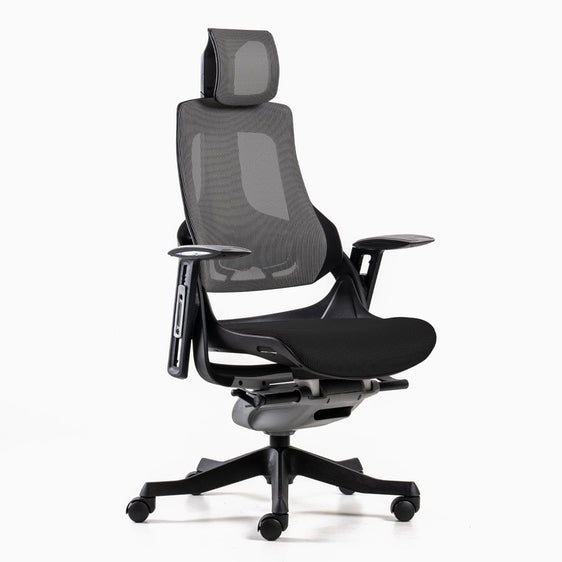
An ergonomic chair is one of the most important purchases for anyone who spends hours gaming. Chairs designed to support posture help reduce strain and maintain comfort throughout extended sessions. Features such as adjustable lumbar support, a stable backrest, a comfortable seat base and quality cushioning all contribute to how well the chair supports the body. When a chair aligns naturally with the spine, it becomes easier to stay comfortable for long periods without losing focus.
Gamers benefit from chairs that offer smooth adjustability, allowing changes in height, backrest angle and arm support. This adaptability encourages better alignment and allows the chair to suit a wider range of body types. Pairing an ergonomic chair with the right desk accessories reinforces these benefits. Monitor risers, footrests and keyboard placement all influence posture and have a direct effect on gaming comfort.
Desky designs ergonomic seating options with long sessions in mind. By focusing on durability and support, these chairs help reduce fatigue and maintain a comfortable posture across hours of gameplay. With the right chair in place, gamers can enjoy longer sessions without discomfort pulling attention away from performance.
{{ spec_pro_plus_gaming_chair }}
Integrating Posture Correctors and Accessories for Better Alignment
Posture correctors and desk accessories can play a helpful supporting role in achieving better alignment. Posture correctors act as subtle reminders to maintain upright positioning by gently guiding the shoulders back and helping reinforce alignment through the spine. While they do not replace a quality ergonomic chair, they complement it by supporting good habits during moments of intense focus when posture often slips.
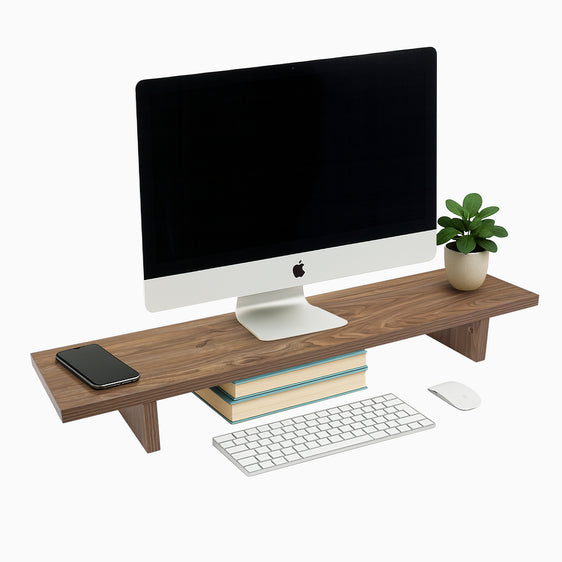
Accessories also contribute to better gaming posture. A footrest helps reduce lower back pressure by positioning the legs more comfortably. Monitor risers bring the screen to eye level and prevent the forward head posture that commonly leads to neck strain. Together, these adjustments support healthier alignment and reduce unnecessary movement that can cause discomfort during high concentration moments.
Desky’s ergonomic equipment supports these accessories by creating an adaptable environment. Gaming setups designed with posture in mind help protect joints, ease pressure on the spine and reduce distractions. With the right combination of tools, holding a comfortable posture becomes far more natural and sustainable throughout long marathons.
{{ spec_minimal_monitor_stand }}
Maintaining a Healthy Neck Position through Intense Gameplay
Maintaining a balanced neck position is a powerful way to prevent discomfort during extended gaming sessions. When the head shifts forward to focus on the screen, the neck muscles work harder to hold its weight, which often leads to tightness, headaches or shoulder pain. Keeping the head aligned above the shoulders supports comfort and reduces tension. Positioning the monitor at eye level helps maintain this alignment and prevents the need to tilt the head up or down. If the monitor is too low, a riser can lift it to the correct height.
Adjusting the backrest can also improve neck and upper back support. A supportive backrest encourages upright posture, especially when combined with a sit stand desk that allows gamers to alternate between sitting and standing. Alternating these positions prevents stiffness and helps reset posture throughout long sessions.
Short breaks every hour make a noticeable difference as well. Rolling the shoulders, stretching the neck and checking head position encourage better habits and reduce accumulated tension. These small resets support comfort and help gamers stay focused during long competitive or story-driven sessions.
Desky’s ergonomic solutions are designed to support healthy posture from every angle. By combining the right furniture with posture-friendly habits, gamers can look after their long-term comfort while performing at their best. A setup that supports the neck, back and shoulders leads to a more enjoyable gaming experience where focus stays on the screen, not on discomfort.
Build a Gaming Setup That Supports Your Comfort
Ergonomic gaming habits begin with a workstation designed to support posture and movement. Whether you are adjusting your chair, refining your monitor height or upgrading to a sit stand desk, small changes create a lasting impact on comfort and performance. If you are ready to build a gaming setup that supports long sessions with ease, Desky offers ergonomic chairs, sit stand desks and accessories for gamers who want comfort and durability in every session.
About the author

You may also like

Desk Power Outlet with USB Ports Pros and Cons: Is a Desk ..
Workspaces now support laptops, phones, tablets, lighting, and a growing list of accessories. Managing...
May 15, 2026

Are Desk Power Outlets Safe for Daily Use?
Modern workstations rely on multiple devices. Laptops, monitors, phones, lighting, and accessories all...
May 13, 2026

Benefits of Installing a Desk Power Outlet: Top Desk Solut..
Modern workspaces rely on multiple devices every day. Laptops, monitors, chargers, lamps, and accessor...
May 07, 2026

Common Problems with Desk Power Outlets and Fixes in Offices
Reliable power access keeps modern offices running. Laptops, monitors, charging hubs and lighting all ...
May 05, 2026
